
NefesReporter
NefesReporter turns the therapy data recorded on the device SD card into a clear clinical picture — for both the Ventisense ventilator and the AirPAP sleep-therapy range. Read a card, review a night or a month, and export a report, all from one application in Turkish or English.
Every breath your devices record, in one clear picture
Ventilator and sleep-therapy data — read, reviewed and reported from a single Windows application, in Turkish or English.

From card to clinical picture, in three steps
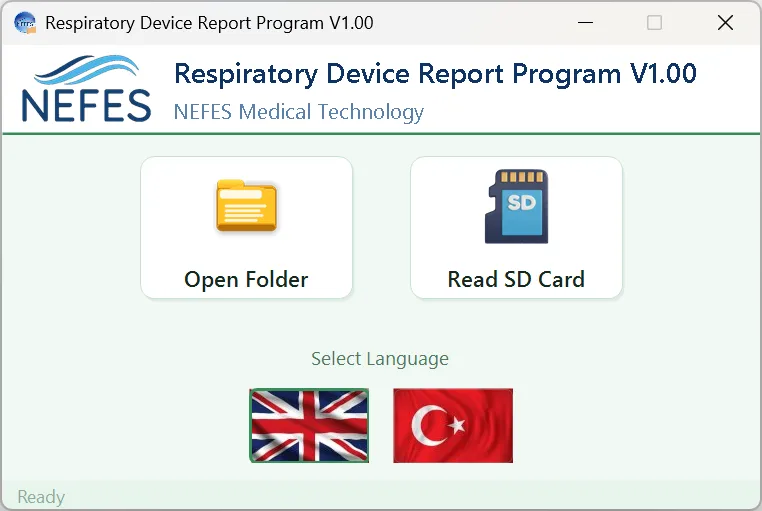
Read the card
Open an SD card or a saved folder to begin.

Pick the device
Each device and its recorded sessions are listed.

Navigate sessions
Browse by year, month and day to each session.
A night, at a glance
- Device and active mode with its full setup
- Alarm count, longest alarm and parameter changes
- Total ventilation time and therapy breakdown
- Tidal volume, respiratory rate and leakage at a glance

Distributions & trends
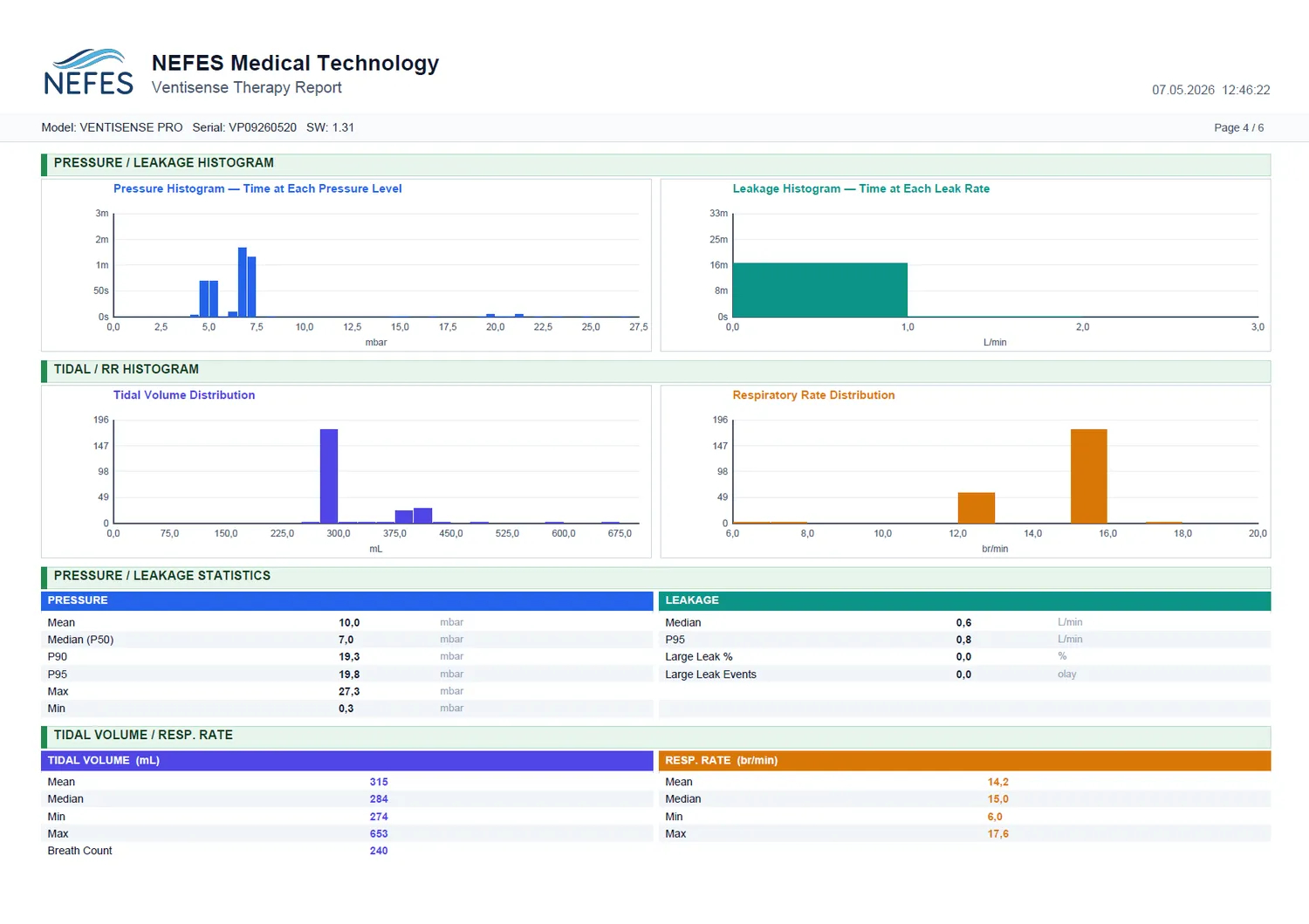
Pressure and leakage histograms, tidal-volume and respiratory-rate distributions turn a session into patterns you can read at a glance.
Parameters & settings
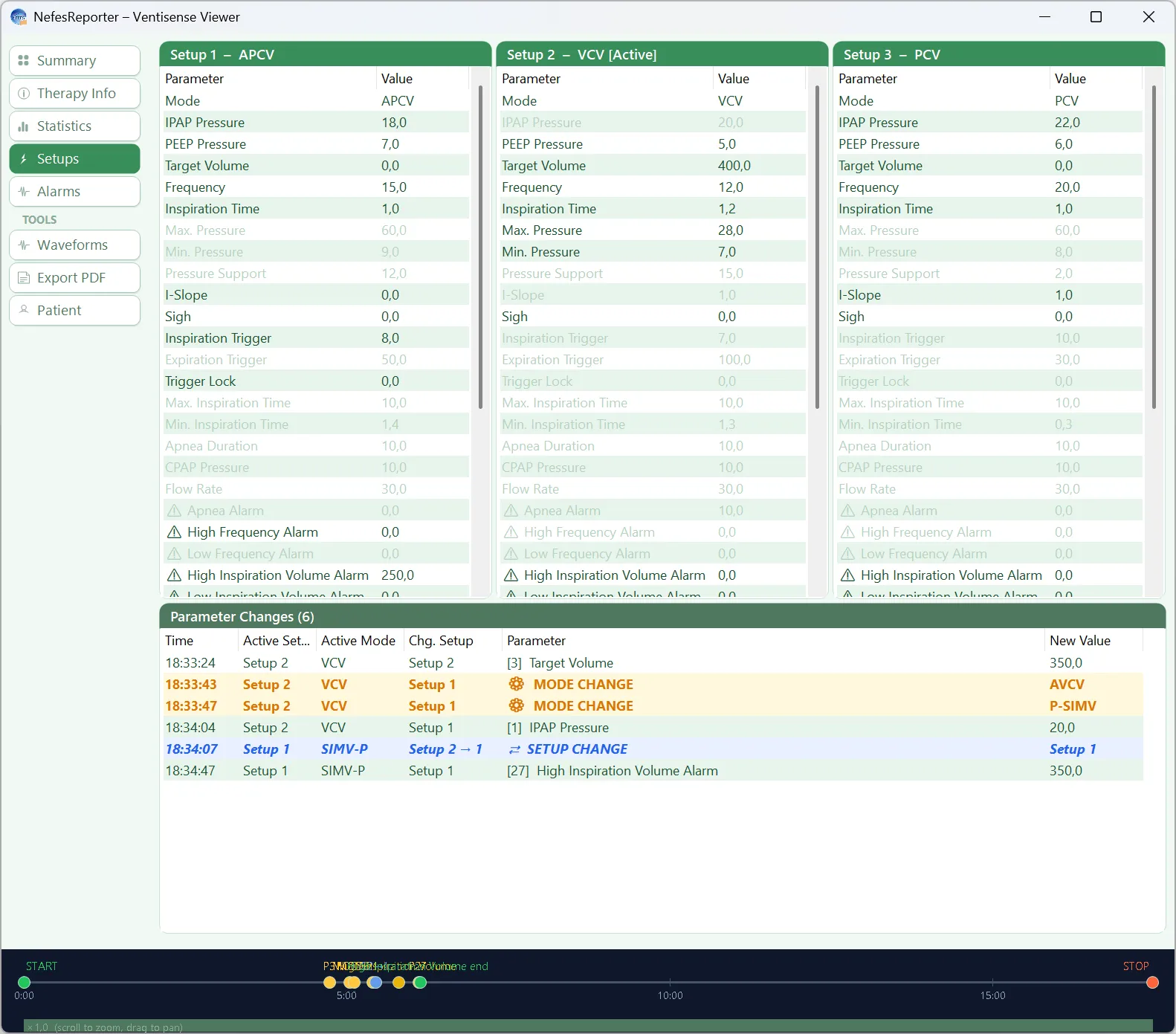
Every setup used during a session is captured — modes, pressures, triggers and limits — side by side for review.
Full alarm history
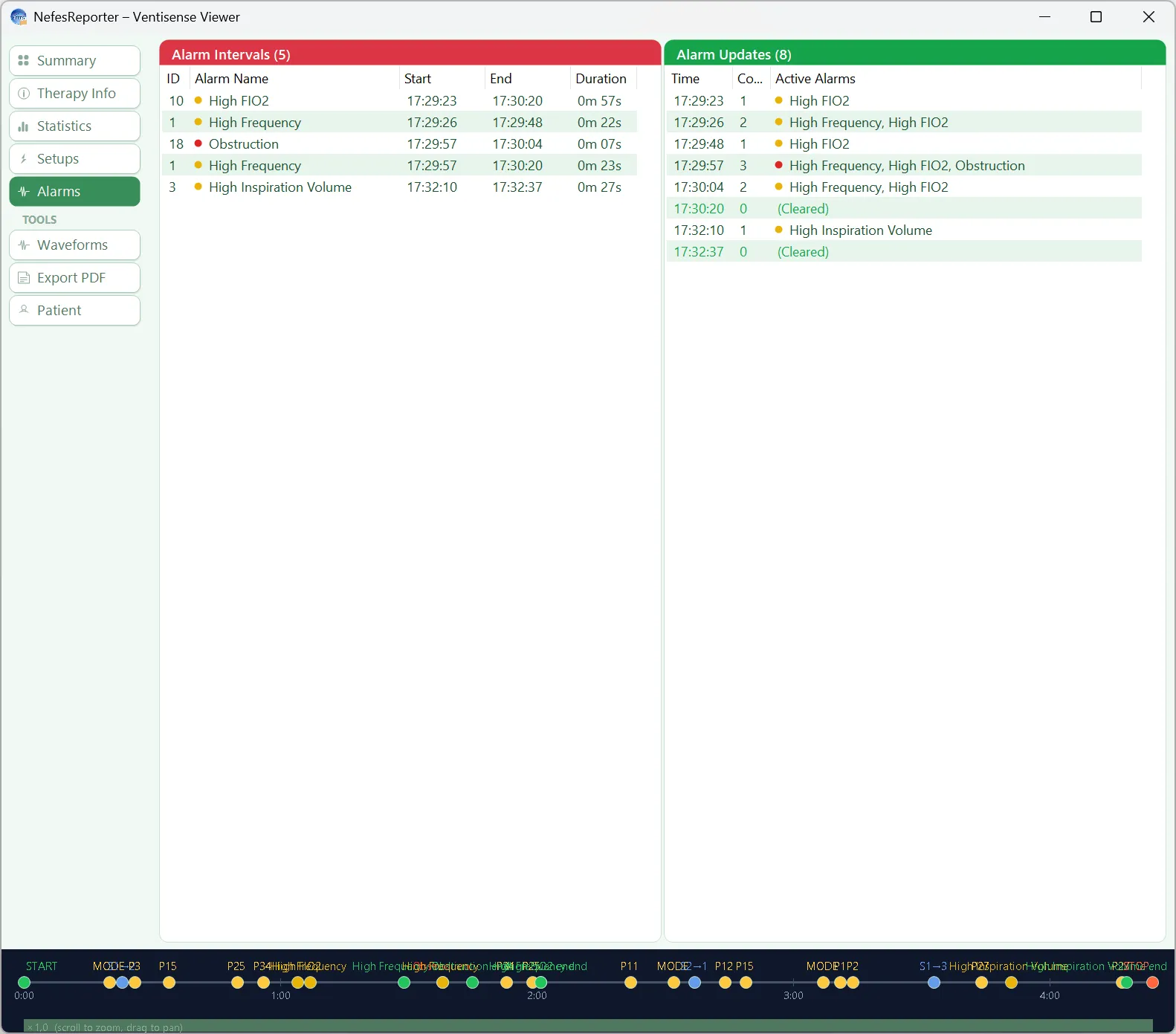
A complete, timestamped alarm log makes it easy to see what happened, when, and how often across the recording.
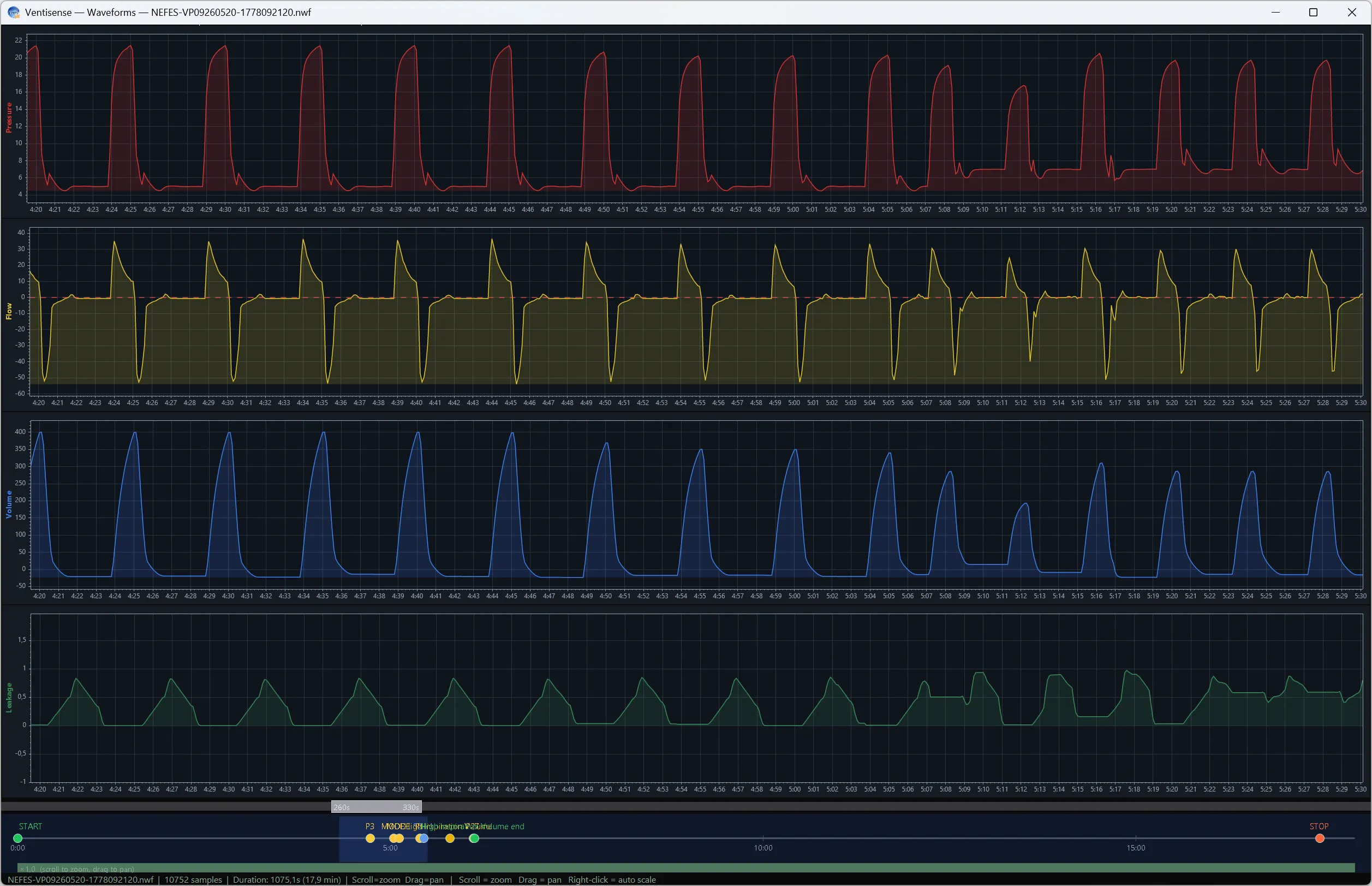
Full waveform review
Scroll the raw pressure, flow and volume waveforms of the whole recording to inspect individual breaths and events in detail.
Trends & adherence
Step back from a single session: NefesReporter aggregates many sessions into trends — ventilation time, tidal volume and respiratory rate over days and weeks — so progress is obvious.


Export-ready PDF reports
Every session and any span of sessions exports to a clean, multi-page PDF — session summary, the full setup parameters, pressure/leak and tidal-volume histograms, plus parameter-change and alarm logs — ready for the patient file, a referral or follow-up.


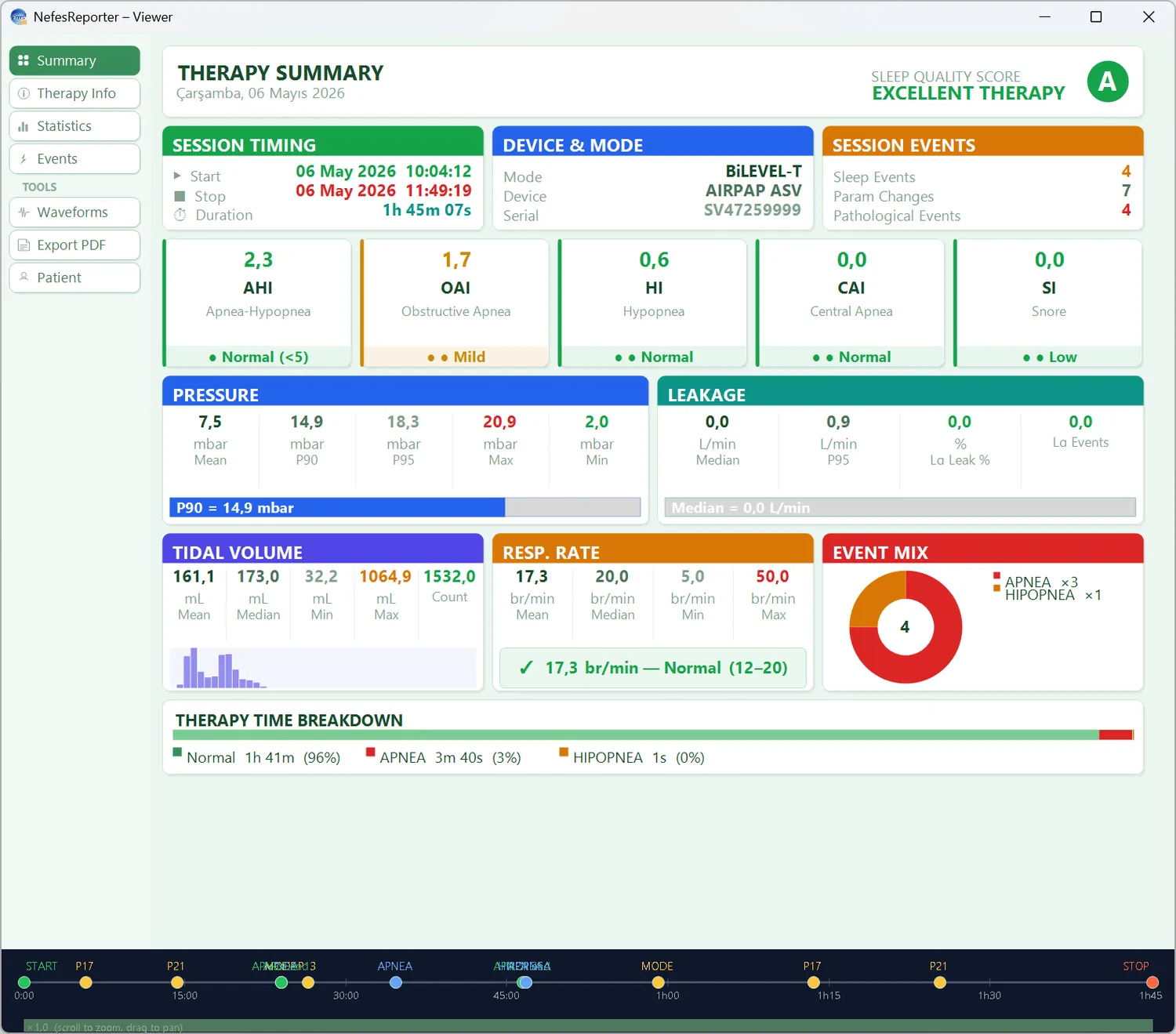
A night of therapy, at a glance
- Sleep-quality score with AHI, OAI, HI, CAI and snore indices
- Device and active mode with the full parameter set
- Pressure, leak and tidal-volume statistics
- Apnea / hypopnea event mix and therapy-time breakdown

Statistics & distributions
Pressure, leak, tidal-volume and respiratory-rate statistics with their distributions turn a night into clear numbers.

Parameters & settings
Start and stop modes with the full parameter and setting list — pressures, slopes, ramp, humidifier and more — side by side.
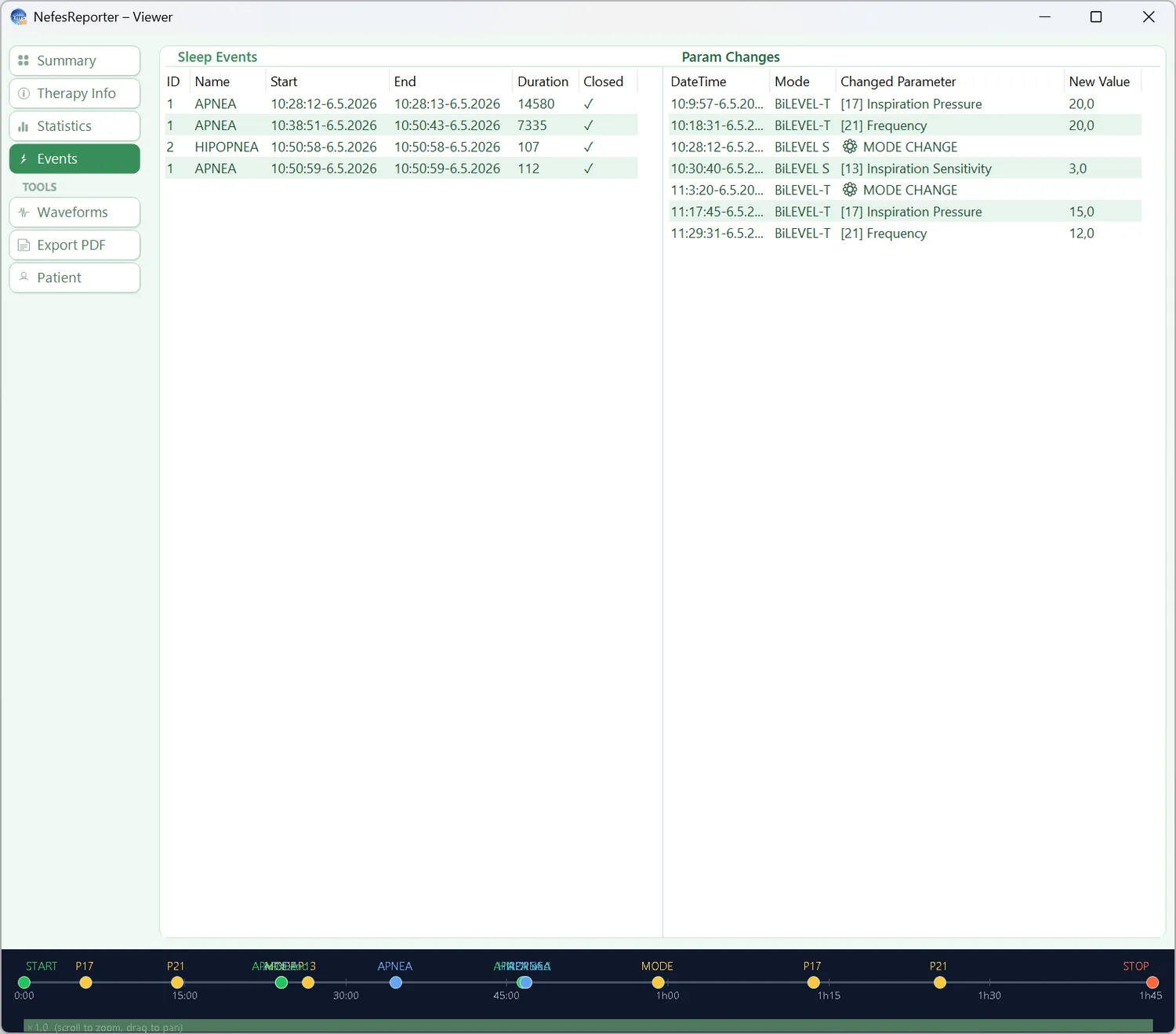
Respiratory events
Every apnea, hypopnea and snore event is logged and timestamped, so the night’s respiratory picture is easy to read.
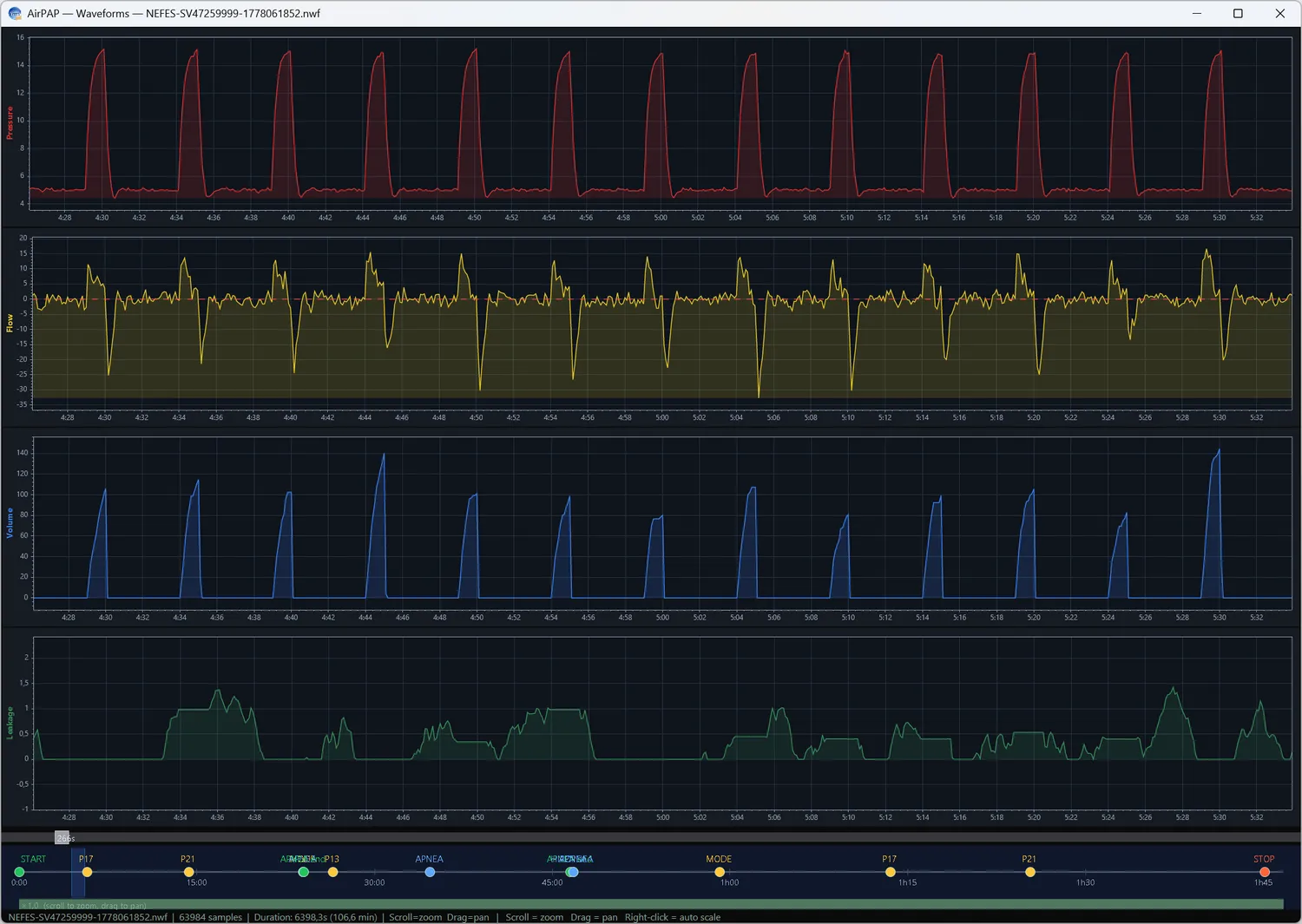
Waveform review
Scroll the raw pressure, flow, volume and leak waveforms of the whole night to inspect individual breaths and events.
Trends & adherence
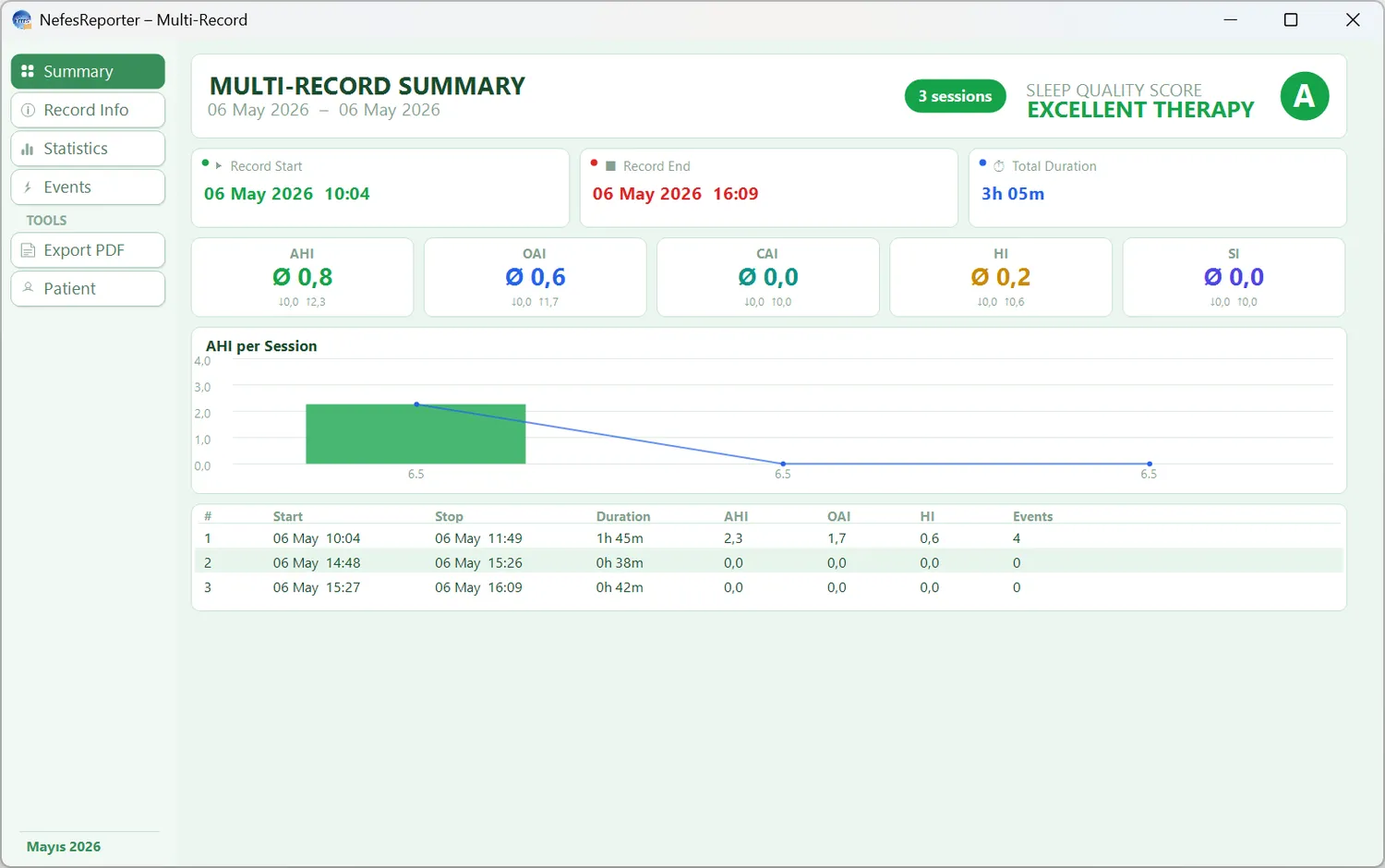
Step back from one night: NefesReporter aggregates many sessions into trends — AHI per session, usage, pressure and leak over days and weeks — so adherence and progress are obvious.

Export-ready PDF reports
Every night and any span of nights exports to a clean, multi-page PDF — therapy summary with the sleep-quality score and AHI, the full parameter set, pressure/leak and tidal-volume statistics, the respiratory-event log and waveform pages — ready for the patient file, a referral or follow-up.


